Imagine arriving home after a long day, your hands full of groceries, and the rain starting to pour. In the past, you would have fumbled for your keys, likely dropping a bag in the process. Today, your door senses your approach via your smartphone and clicks open automatically. This convenience is why installing a smart lock has become the “gateway drug” for home automation in 2026. However, as these devices move from niche gadgets to household staples, many homeowners are pausing to ask a critical question: is this actually an upgrade, or are we just trading physical keys for digital headaches?
The transition to a keyless lifestyle offers undeniable perks, from remote access for delivery drivers to biometric security that feels like it’s pulled straight from a sci-fi film. Yet, the “smart” label doesn’t automatically mean “better.” When you consider installing a smart lock, you must weigh the luxury of convenience against potential vulnerabilities like hacking, battery failure, and software glitches. This guide will walk you through everything you need to know to decide if making the switch is truly the right move for your sanctuary.
Understanding the Basics: What is a Smart Lock?
At its most fundamental level, a smart lock is an electromechanical device that allows you to open and close your door without a traditional physical key. While the locking mechanism itself—usually a deadbolt—remains physical, the way you “request” it to move is digital. In 2026, these devices have evolved significantly, moving past simple Bluetooth connections to embrace the Matter protocol, ensuring they work seamlessly across different smart home ecosystems.
How Smart Locks Communicate
Smart locks don’t live in a vacuum. They rely on specific wireless protocols to communicate with your phone or home hub. Most modern locks use a combination of Bluetooth for local proximity sensing and Wi-Fi or Thread for remote access. This allows you to check if your door is locked from across the globe or receive a notification the second your kids get home from school.
The Anatomy of the Device
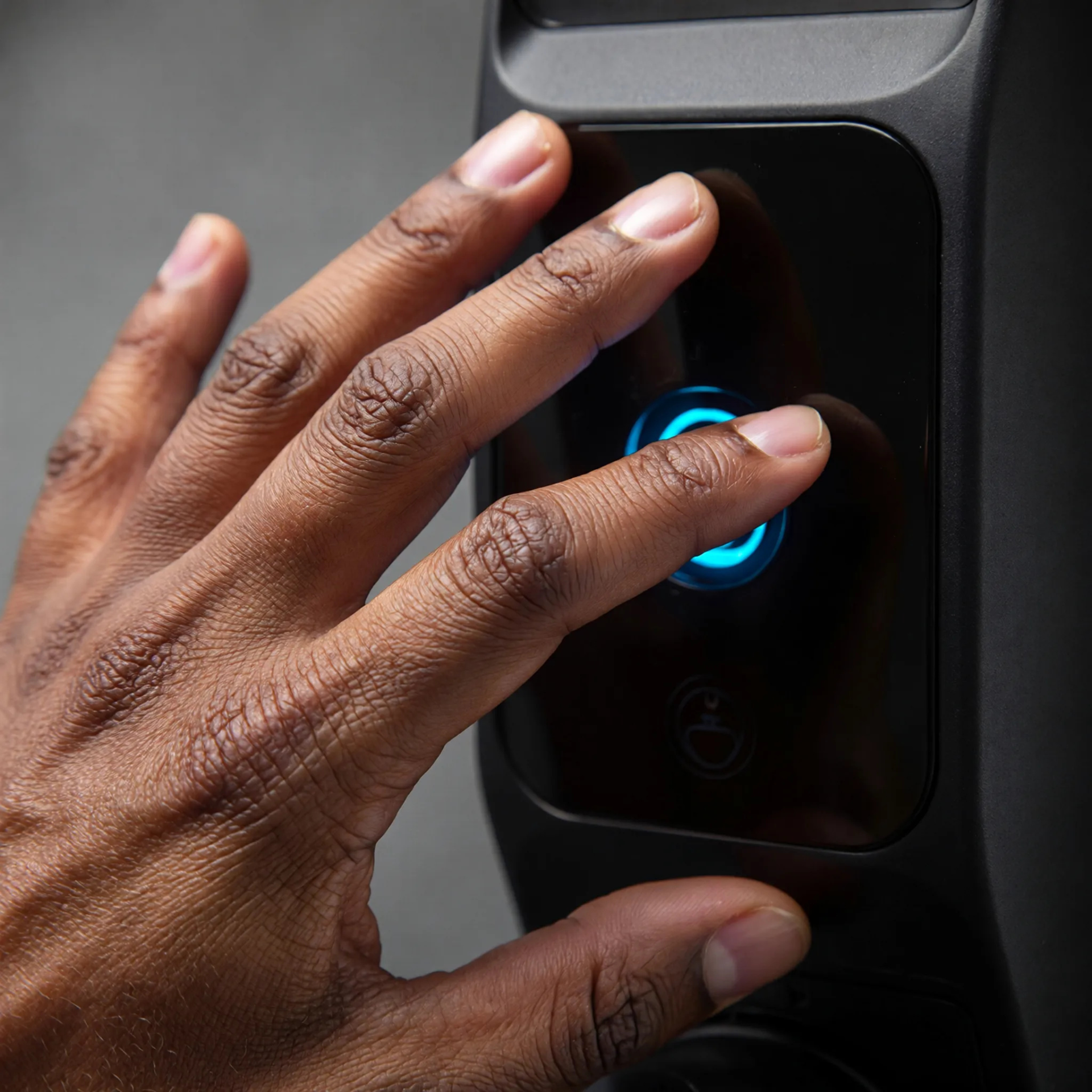
When you look at a smart lock, you generally see two parts: the exterior interface and the interior housing. The exterior might feature a touchscreen keypad, a fingerprint sensor, or a hidden keyhole for emergencies. The interior housing is where the “brains” live—the motor that turns the bolt, the batteries that power it, and the wireless chip that connects it to your network.
The Core Benefits of Installing a Smart Lock
The primary reason most people consider installing a smart lock is the sheer lifestyle upgrade it provides. We live in an age where we expect our environments to adapt to us, rather than the other way around. Here is how a smart lock transforms your daily routine.
1. Keyless Convenience and Accessibility
The most immediate benefit is the elimination of the physical key. Whether you prefer using a PIN code, a biometric fingerprint scan, or a “tap-to-unlock” feature with your Apple Watch, the friction of entering your home disappears. This is especially valuable for households with children who might lose keys or for individuals with mobility issues who find turning a physical key difficult.
2. Enhanced Guest Management
Gone are the days of hiding a “emergency key” under a suspicious-looking plastic rock. With a smart lock, you can issue temporary digital keys to guests, cleaners, or contractors. You can set these codes to expire after a few hours or only work during specific windows of time. This provides a level of control that traditional hardware simply cannot match.
3. Integration with Home Automation
In 2026, a smart lock is often the centerpiece of a “Welcome Home” routine. When you unlock the door, your smart home system can automatically disarm the security alarm, turn on the hallway lights, and adjust the thermostat to your preferred temperature. This level of orchestration makes your home feel intuitive and responsive.
The “Not-So-Smart” Side: Potential Risks and Downsides
Despite the glowing reviews, there are legitimate reasons to be cautious. Technology introduces new failure points that a standard metal key simply doesn’t have. Understanding these risks is essential for any responsible homeowner.
The Reality of Hacking and Cybersecurity
While high-profile hacks of smart locks make for great headlines, they are relatively rare in practice. Most “hacks” occur due to weak user passwords rather than flaws in the lock’s encryption. However, the risk is not zero. As long as a device is connected to the internet, there is a theoretical pathway for unauthorized access. To mitigate this, manufacturers now use AES-256 encryption—the same level used by banks.
Battery Life and Power Dependencies
A traditional lock doesn’t need to be “charged.” A smart lock does. Smart lock battery life has improved, with most models lasting 6 to 12 months, but it remains a maintenance task. If you ignore the low-battery warnings, you could find yourself locked out. Most locks include an emergency 9V battery jump-start terminal or a physical key backup for this exact reason, but it’s still an added layer of complexity.
Mechanical Failures and Jamming
Digital locks are still physical objects. If your door is misaligned or the weather stripping is too thick, the motor may struggle to extend the bolt. A traditional key allows you to “jiggle” the lock to get it to catch; a motor will simply give up and report an error. This makes proper installation and door maintenance more critical than ever.
Choosing the Right Tech: Wi-Fi, Bluetooth, and Matter
If you’ve decided to move forward, you’ll encounter a sea of technical jargon. In 2026, the market is divided into three main communication categories. Choosing the right one determines how your lock behaves and how often you’ll be changing batteries.
Comparison of Smart Lock Protocols
| Protocol | Range | Battery Life | Best For |
| Bluetooth | Short (30 ft) | Excellent (1 year+) | Privacy-focused users; small homes. |
| Wi-Fi | Global | Moderate (3-6 months) | Users without a smart home hub. |
| Matter / Thread | Home-wide | Excellent (1 year+) | Modern, integrated smart homes. |
Matter is the gold standard for 2026. It allows a lock from Brand A to work perfectly with a hub from Brand B. If you are building a smart home from scratch, prioritize Matter-compatible devices to ensure your investment is future-proof.
Step-by-Step Guide: Installing a Smart Lock on Your Own
One of the biggest misconceptions is that you need a locksmith for this project. In reality, installing a smart lock is a straightforward DIY task that takes about 30 minutes and requires nothing more than a Phillips-head screwdriver.
Step 1: Check Door Compatibility
Before unscrewing anything, ensure your door has a standard deadbolt. Most smart locks are designed to replace “bored-hole” deadbolts. If you have an integrated handle and lock (mortise lock), you will need a specialized smart lock model.
Step 2: Remove the Existing Hardware
Unscrew the interior mounting plate of your old lock. Pull the two halves apart. Finally, remove the two screws on the edge of the door to slide out the old bolt mechanism. Keep these screws—they are often useful as spares!
Step 3: Install the New Bolt and Strike Plate
Slide the new smart bolt into the door. Pro Tip: Make sure the “up” symbol on the bolt is actually facing up, or the motor will turn the wrong way. Screw it into place and then replace the strike plate on the door frame with the reinforced one provided in the box.
Step 4: Mount the Exterior and Interior Assemblies
Feed the data cable from the exterior keypad through the hole, underneath the bolt. Hold it in place while you attach the mounting plate on the inside. Plug the cable into the interior motor assembly and screw the unit to the mounting plate.
Step 5: Calibrate and Connect
Insert the batteries. Most modern locks will automatically “hand” themselves—meaning they will extend and retract the bolt several times to learn if your door opens to the left or right. Open your manufacturer’s app and follow the prompts to connect it to your Wi-Fi or Matter network.
Security Truths: Are Smart Locks Actually Hackable?
When discussing home automation security, the word “hackable” is often misused. Every security system, including a traditional lock, can be bypassed. A professional locksmith (or a determined burglar) can pick a standard Grade 2 deadbolt in under 60 seconds.
In the digital realm, “hacking” usually refers to:
- Replay Attacks: Where someone captures your Bluetooth signal and “replays” it later to unlock the door. Modern locks prevent this using “rolling codes.”
- Brute Force: Someone trying every possible PIN. Smart locks prevent this by “blacking out” for several minutes after 3-5 wrong attempts.
- Cloud Breaches: Someone hacking the manufacturer’s servers. This is why using a unique, strong password and Two-Factor Authentication (2FA) is non-negotiable.
Expert consensus in 2026 suggests that a smart lock is actually safer than a traditional lock for the average person because it eliminates the risk of stolen or copied physical keys and provides an audit log of exactly who entered and when.
Is Installing a Smart Lock Right for Your Home?
Ultimately, the “smartness” of the decision depends on your specific living situation. Let’s look at two common scenarios to help you categorize your needs.
The “Smart” Choice For:
- Families: Tracking when children arrive home and never worrying about “lost keys.”
- Airbnb/Short-Term Rental Hosts: Automating check-ins without physical key exchanges.
- Frequent Travelers: Being able to verify the door is locked from an airplane or hotel room.
- Service Seekers: Allowing dog walkers or grocery delivery services (like Amazon Key) inside securely.
The “Wait and See” Choice For:
- Extreme Privacy Advocates: Those who are uncomfortable with any data being sent to the cloud.
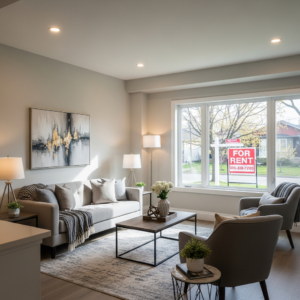
- Renters with Strict Leases: Though “retrofit” locks exist that don’t change the exterior hardware, some landlords still forbid them.
- Historic Doors: Very old or custom-made doors may require significant modification to fit modern smart hardware, which can damage the door’s value.
Frequently Asked Questions About Smart Locks
Q: What is a smart lock?
A: A smart lock is a Wi-Fi or Bluetooth-enabled device that replaces or augments a traditional deadbolt, allowing for keyless entry via smartphone apps, keypads, or biometrics.
Q: How do you install a smart lock?
A: You install a smart lock by removing your existing deadbolt and replacing it with the electronic unit. The process typically involves mounting an exterior keypad and an interior motor assembly, connected by a small data cable through the door’s existing hole.
Q: How much does installing a smart lock cost?
A: In 2026, a high-quality smart lock ranges from $180 to $350. If you choose to hire a professional for installation, expect to pay an additional $100 to $150 for labor.
Q: How long does a smart lock take to install?
A: For a standard door, the physical installation takes 20 to 30 minutes. Setting up the app and connecting to your home network may take an additional 10 minutes.
Q: Is installing a smart lock hard for beginners?
A: No, it is designed to be a DIY-friendly project. As long as you can use a screwdriver and follow app-based instructions, it is well within the capability of a beginner.
Q: What happens if the smart lock battery dies?
A: Most smart locks give you weeks of low-battery warnings. If it dies completely, you can use a physical backup key (on most models) or touch a 9V battery to external terminals to provide enough power to enter your code.
Q: Smart Lock vs. Deadbolt: Which is more secure?
A: Physically, they are often identical in strength (look for ANSI Grade 1 ratings). However, smart locks offer better “access security” by eliminating physical keys that can be lost or copied without your knowledge.
Conclusion
So, is installing a smart lock really that smart? For the modern homeowner, the answer is a resounding yes. The technology has matured to a point where the benefits of convenience, remote management, and integrated security far outweigh the minor maintenance of changing batteries. By moving to a keyless system, you aren’t just getting a fancy gadget; you are gaining a new level of awareness and control over your home’s most important boundary.
If you’re ready to take the plunge, start by assessing your door’s current hardware and checking your Wi-Fi strength at the front door. Once you’ve selected a Matter-compatible lock, you’ll be only thirty minutes away from never having to say, “Wait, did I lock the front door?” ever again.
Here are the top three brands and exactly how easy it is to get them onto your door.
1. August (Best for Renters & Speed)
Top Model: August Wi-Fi Smart Lock (4th Gen)
August is the king of the “retrofit” lock. Instead of replacing your entire deadbolt, it only replaces the thumb-turn on the inside of your door.
- Installation Ease: 10/10
- Time Required: 10–15 minutes.
- Why it’s easy: Since the exterior hardware stays exactly as it is, you don’t have to worry about matching the finish of your door handle or changing your physical keys. You simply unscrew two bolts on the back of your current lock, snap on an adapter, and slide the August unit over it.
- Tools Needed: Just a Phillips-head screwdriver.
2. Schlage (Best for Durability & Simplicity)
Top Model: Schlage Encode Plus
Schlage has been making locks since 1920, and their smart tech is built into heavy-duty, Grade 1 security hardware. The “Encode” series is famous for having Wi-Fi built directly into the lock, meaning you don’t need to plug a “bridge” or “hub” into a nearby outlet.
- Installation Ease: 8/10
- Time Required: 20–25 minutes.
- Why it’s easy: The hardware is designed with a “snap-and-stay” bracket that holds the exterior part of the lock in place while you screw in the back. This prevents that annoying moment where the keypad falls onto the porch while you’re trying to reach for a screw.
- Tools Needed: Phillips-head screwdriver (and 4 AA batteries).
3. Yale (Best for Style & App Guidance)
Top Model: Yale Assure Lock 2
Yale offers the most versatile designs (touchscreen, keyed, or biometric) and has fully embraced the Matter protocol in 2026, making it compatible with almost any smart home system.
- Installation Ease: 8.5/10
- Time Required: 20–30 minutes.
- Why it’s easy: Yale uses the BILT app, which provides 3D, voice-guided instructions that you can rotate and zoom in on. It literally walks you through every single screw. Their modular design also means you can upgrade the “smart” part of the lock later without taking the whole thing off the door.
- Tools Needed: Phillips-head screwdriver.
Brand Installation Comparison
| Feature | August Wi-Fi | Schlage Encode Plus | Yale Assure Lock 2 |
| Complexity | Beginner (Retrofit) | Beginner/Intermediate | Beginner/Intermediate |
| Change Keys? | No (Keep existing) | Yes (New keys included) | Optional (Keyed/Key-free) |
| Hub Required? | No (Built-in Wi-Fi) | No (Built-in Wi-Fi) | Optional (Bluetooth/Wi-Fi) |
| Setup App | August App | Schlage Home | Yale Access / BILT |